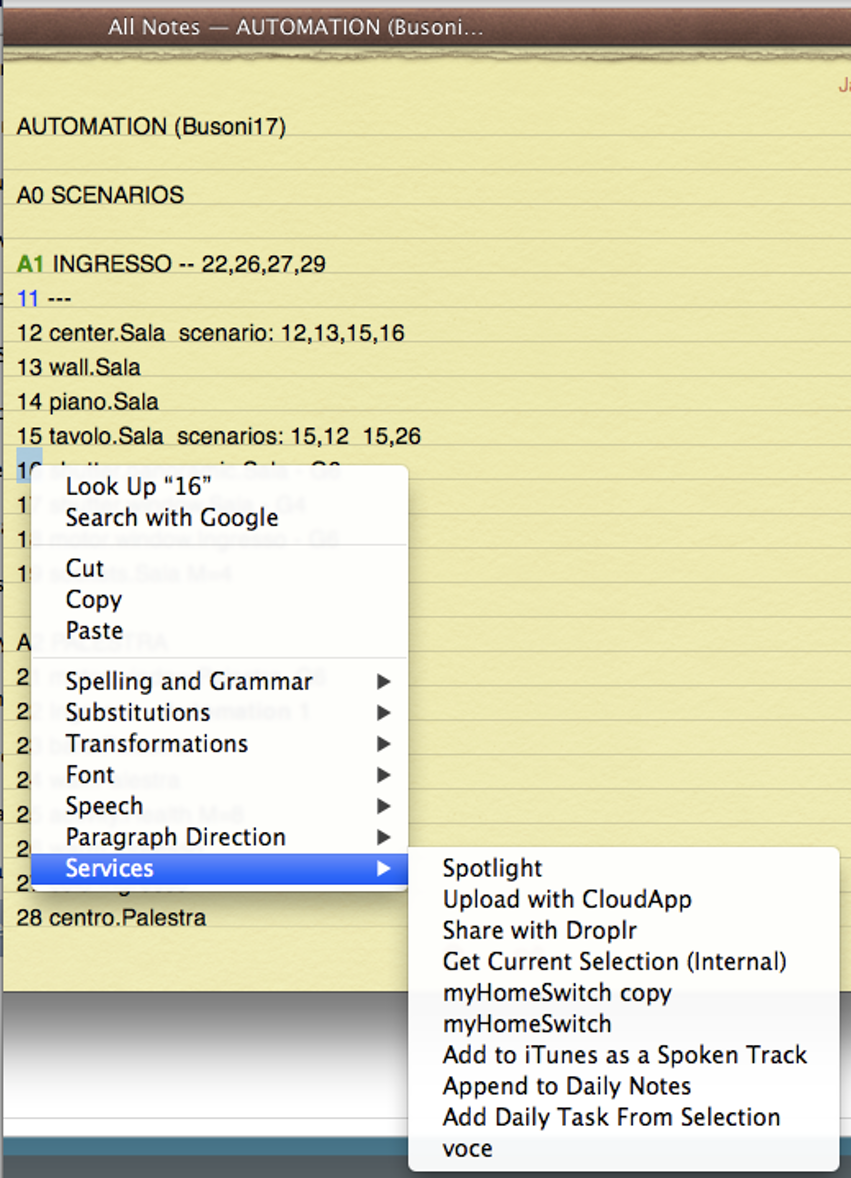
This is framework takes highlighted text as input and after executing the scripts it returns the hlighlighted text augmented by the result. Inputs can be numbers to indicate actuator addresses, or function to indicate commands. A service to execute home automation commands using selected keywords in text files.
He is the syntax used:
- Numbers. A number input causes the script to: toggle the status:
- ON/OFF, In case of the lights
- UP/DOWN in case of motors. If the motor is in the STOP state the scripts ask the the user to select UP or DOWN
- Names. returns the name and its value:
- Router - returns the router name and its IP address
- Gateway - returns the gateway IP address, its clock, and its model
- Probes - returns the list of probes and their temperatures
- Lights - returns a list of light actuators
- Motors - returns a list of motor actuators
- Temperature or Probes - returns installed probes and temperature
- Undefined words - return a menu of defined words
- Functions. A name followed by a number in parenthesis.
- ON(n), OFF(n), UP(n), DOWN(n), STOP(n), Block(n), Unblock(n)
- Power(n), Energy(n), Lights(n), Motors(n), Probes(n), Delay(n), Gateways(n)
- List of items separated by commas. Executes every item in sequence as described above